3.2、mysql5.7&8.0设置用户密码
1、临时密码登录
注意:mysql5.7开始废弃了user表中的password字段和 password() 方法,用authentication_string代替password。所以凡是利用password和password()修改密码的都不正确。
在bigdata2,bigdata3分别查看临时密码
cat /var/log/mysqld.log

grep “password” /var/log/mysqld.log

------
A temporary password is generated for root@localhost: &o30myC(fkq<
------
注意:mysql8.0以上密码策略限制必须要大小字母写加数字特殊符号
alter user 'root'@'localhost' identified by 'Admin123*';【执行该语句需要将配置参数skip-grant-tables去掉,并且重启mysql服务,以临时密码登陆】
2、设置用户密码
查看mysql用户和密码
select user,host,password from mysql.user;
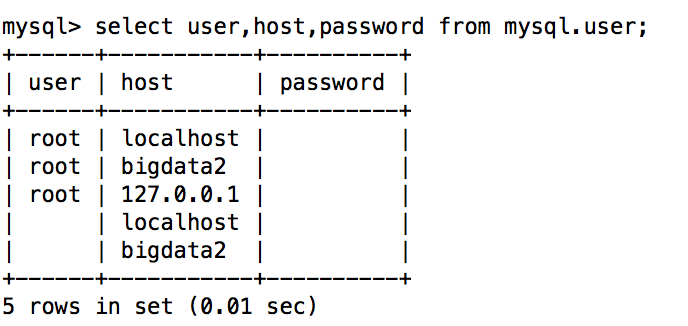
发现查询密码都是空,然后开始设置root的密码为Admin123*
mysql> set authentication_string for root@localhost = authentication_string('Admin123*');

或者

mysql>ALTER USER 'root'@'localhost' IDENTIFIED BY '新密码(必须包含:数字大小写字母特殊字符)';

退出:mysql>exit
1、 用新密码登录
mysql –u root –p